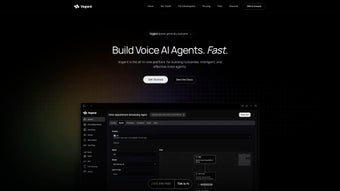

Download Vogent – Advanced AI Voice Agent Platform, Free Secure Tool
Overview
Vogent is a cutting‑edge web‑based AI voice agent platform that empowers businesses, developers, and contact‑center managers to create, test, and launch conversational voice agents that sound and behave like real humans. Built on a robust suite of speech‑recognition, voice‑activity‑detection, and natural‑language‑understanding engines, Vogent removes the traditional coding barrier and replaces it with an intuitive Flow Builder. The platform can handle interactive voice response (IVR) scenarios, seamlessly hand‑off calls to live agents when confidence drops, and generate full call transcripts for post‑call analytics. In addition, Vogent’s post‑call automation lets you trigger smart workflows—such as CRM updates, ticket creation, or email follow‑ups—directly from the call outcome. Whether you need a simple FAQ bot for inbound sales or a complex multi‑step support agent, Vogent delivers a secure, scalable, and free‑to‑start solution that works across Windows, macOS, Linux, Android, and iOS browsers.
Core Features That Differentiate Vogent
- Drag‑and‑Drop Flow Builder: Design voice conversations visually without writing a single line of code. Conditional branches, loops, and API calls are added with a single click.
- Interactive Voice Response (IVR) Engine: Support multi‑level menus, DTMF input, and speech‑based navigation for a fully hands‑free experience.
- Voice Activity Detection (VAD): Real‑time detection of speaking pauses, background noise, and silence, improving agent responsiveness and reducing false triggers.
- Custom Voice Creation: Upload your own voice samples or choose from a library of pre‑trained neural voices to match brand tone.
- Hybrid Human‑Agent Handoff: Sophisticated confidence scoring automatically transfers calls to a live operator when the AI is uncertain.
- Comprehensive Call History & Transcripts: Store every interaction, searchable by keyword, date, or outcome, enabling data‑driven improvements.
- Post‑Call Automation & Smart Integrations: Trigger webhooks, update CRM records, launch email campaigns, or start RPA bots based on call results.
- Multi‑Channel Support: While primarily a voice platform, Vogent can be extended to SMS, chat, and social media channels through its API.
- Security & Compliance: End‑to‑end encryption, GDPR‑ready data handling, and role‑based access control keep sensitive conversations safe.
- Continuous Model Updates: The AI engine is refreshed monthly with new language data, ensuring higher accuracy and broader dialect coverage.
These features combine to make Vogent not just a voice bot builder, but a full‑fledged conversational orchestration hub. The platform’s modular architecture means you can start with a basic IVR and later layer on advanced analytics, sentiment detection, or even voice biometrics without migrating to a new system. Because everything lives in the cloud, updates are rolled out automatically, and there’s no need for on‑premise hardware or complex licensing.
Installation, Setup, and First‑Time Usage
Getting started with Vogent is intentionally frictionless. Since it’s a web application, there is no traditional “download” in the sense of an installer—simply navigate to the official portal, create a free account, and you’re ready to build. Below is a step‑by‑step guide that walks a new user through the entire process, from account creation to publishing a live voice agent.
1. Account Registration & Verification
Visit vogent.com and click “Sign Up”. Provide a valid email address, choose a strong password, and accept the terms of service. An automated verification email is sent; click the link to activate your account. For enterprises, you can enable SSO via SAML or OAuth to integrate with existing identity providers.
2. Workspace Creation
After logging in, you’ll land on the Dashboard. Click “Create New Workspace” and name it after your project (e.g., “Customer Support Bot”). Workspaces act as containers for flows, voice models, and analytics, allowing you to segregate environments for testing and production.
3. Building Your First Flow
Open the Flow Builder, where the canvas displays a start node. Drag a “Prompt” block, type the greeting (“Welcome to Acme Corp, how may I help you today?”), and attach a “Speech Capture” block to collect the caller’s response. Use the built‑in intent recognizer to map common phrases like “billing” or “technical support” to separate branches. Add a “Human Handoff” node where confidence falls below 70 % – Vogent will automatically route the call to a live agent.
4. Testing the Agent
Vogent offers a built‑in simulator that lets you speak into your microphone or upload an audio file. The simulator shows real‑time transcription, confidence scores, and branch navigation, helping you fine‑tune prompts and intents before going live.
5. Publishing & Integration
When satisfied, click “Deploy”. Vogent generates a unique SIP/REST endpoint that you can connect to any telephony provider (Twilio, Nexmo, or on‑prem PBX). For cloud‑only deployments, simply use the provided “Web Call” button to start a browser‑based call.
6. Post‑Call Automation Setup
Navigate to the “Automation” tab, create a new rule, and select the trigger “Call Ended – Outcome: Resolved”. Choose an action such as “Create Zendesk Ticket” or “Send Follow‑up Email via SendGrid”. These actions are executed automatically, reducing manual follow‑up work.
Overall, the entire onboarding process can be completed in under 30 minutes, making Vogent an attractive choice for teams that need rapid time‑to‑value without sacrificing depth of functionality.
Compatibility, System Requirements, and Pros & Cons
Vogent runs on any modern web browser (Chrome, Edge, Firefox, Safari) and therefore supports Windows 10/11, macOS Ventura and later, Linux distributions, as well as Android 9+ and iOS 13+. Because the heavy lifting—speech recognition, language modeling, and analytics—is performed on Vogent’s cloud servers, local hardware requirements are minimal: a stable internet connection (minimum 3 Mbps upstream/downstream) and a microphone for voice testing.
Pros
- Zero‑code flow builder dramatically reduces development time.
- Robust VAD and confidence‑based handoff improve caller experience.
- Full call transcript storage enables powerful analytics and compliance.
- Extensive integrations (CRM, ticketing, email) automate post‑call workflows.
- Free tier available with generous usage limits; premium plans scale predictably.
- Cloud‑native architecture ensures automatic updates and high availability.
Cons
- Advanced custom voice training requires additional paid credits.
- No on‑premise deployment option for highly regulated industries.
- Learning curve for non‑technical users when configuring complex API calls.
- Real‑time analytics dashboard can feel cluttered without proper filtering.
Despite the few drawbacks, most users find that Vogent’s benefits outweigh the limitations, especially when compared to legacy IVR systems that demand extensive programming and hardware maintenance.
Frequently Asked Questions
Is Vogent really free to use?
Vogent offers a free tier that includes up to 2,000 minutes of voice interaction per month, unlimited flows, and basic integrations. Larger enterprises can upgrade to paid plans for higher volume, premium voice models, and dedicated support.
Can I integrate Vogent with my existing telephony provider?
Yes. Vogent provides SIP, REST, and WebSocket endpoints that can be linked to any SIP‑compatible provider such as Twilio, Nexmo, or on‑premise PBX systems. Detailed API documentation guides you through the connection process.
How secure is the data stored in Vogent?
All communications are encrypted with TLS 1.3, and call recordings are stored in encrypted buckets. Vogent complies with GDPR, CCPA, and ISO 27001 standards, and offers role‑based access controls for team members.
Do I need any special hardware to run Vogent?
No special hardware is required. A modern web browser, a stable internet connection, and a microphone (for testing) are sufficient. All AI processing occurs on Vogent’s cloud infrastructure.
What kind of support is available for new users?
Free‑tier users have access to a community forum, extensive documentation, and email support with a 48‑hour response SLA. Paid plans include priority chat support, dedicated account managers, and optional on‑boarding workshops.
Conclusion & Call to Action
Vogent stands out as a powerful, cloud‑native AI voice agent platform that bridges the gap between sophisticated conversational AI and user‑friendly design. Its drag‑and‑drop Flow Builder, intelligent VAD, and seamless human‑agent handoff make it suitable for everything from simple FAQ bots to complex multi‑step support systems. With a generous free tier, robust security, and native integrations for post‑call automation, Vogent offers a compelling value proposition for startups, mid‑size businesses, and large enterprises alike. If you’re looking to modernize your contact‑center operations, reduce manual follow‑up, and deliver a natural, human‑like voice experience, now is the perfect time to sign up for a free Vogent account and start building your first voice agent today.
Vogent delivers an impressive blend of ease‑of‑use and advanced AI capabilities. The free tier is generous, the UI is clean, and the post‑call automation features set it apart from many competitors.



.png)



